SEARCH
There are 4 SEARCH Boxes; SEARCH DOG, SEARCH STUD DOG, SEARCH YEAR and SEARCH STUD BOOK HOLDERS.
Below are only examples and it's not possible to click on them in these instructions.
Let's start with the first one, SEARCH DOG. When searching by name you must include the exact spelling of the dog’s name. If you are unsure type the prefix or part of the name with * substituting the part(s) you are unsure of and a list will appear where you can choose the one you are looking for. I.e. if you type in the dogs Affix as *AFFIX* this will bring up a list of all those dogs with this name when used as both a Prefix or a Suffix. For example Pipadene* will give you a list will all dog starting with Pipadene:
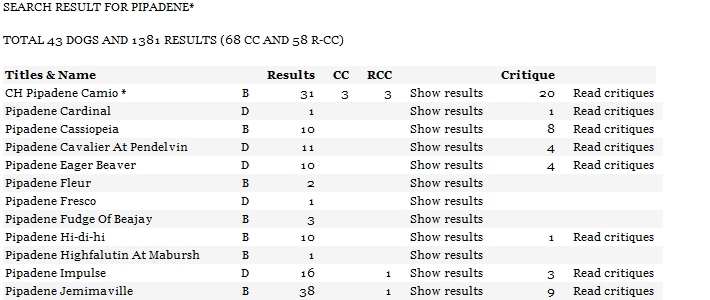
as this is just a example, the complete list is not shown
If you instead use the * before Pipadene i.e. *Pipadene, this will be
your search result:
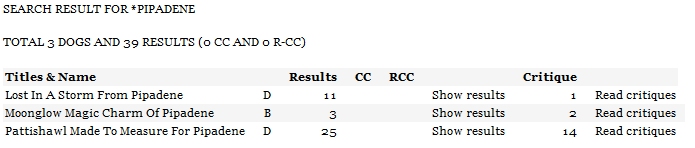
and if you search for *Pipadene* all dogs with Pipadene in their name will come up. N.B. The search doesn't necessarly have to be an Affix, you can search for any word. For example *Fleur*
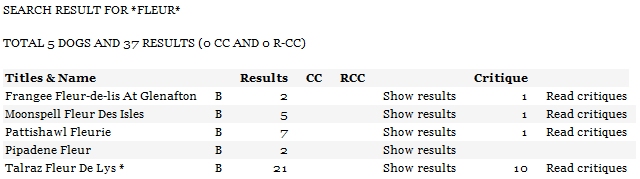
On top of every Search result you will get: Total dogs with show results in the data base, how many results in total and the amount of CCs and RCCs and then it gives you a list of the dogs with individual figures and links to the show results and the available critiques. Dog names, as usual, are clickable and will bring up a pedigree.
Moving on to SEARCH STUD DOG. This was intended as a search if you are looking for a stud dog and want to check what he has produced but of course it can also be used to look at what older dogs produced. The way you search is the same as the above but the result will look a bit different.
Search Result for *Ramsgrove* will give you a list of all stud dogs with Ramsgrove in their name.
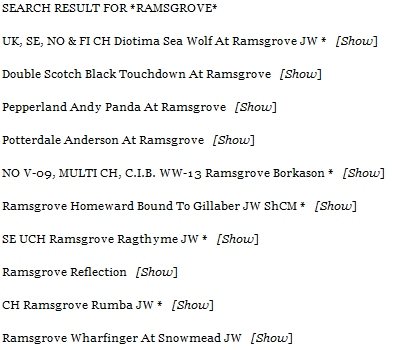
Press [Show] to get a closer look at the show results of the offspring from that specific dog.
This is what it will look like:
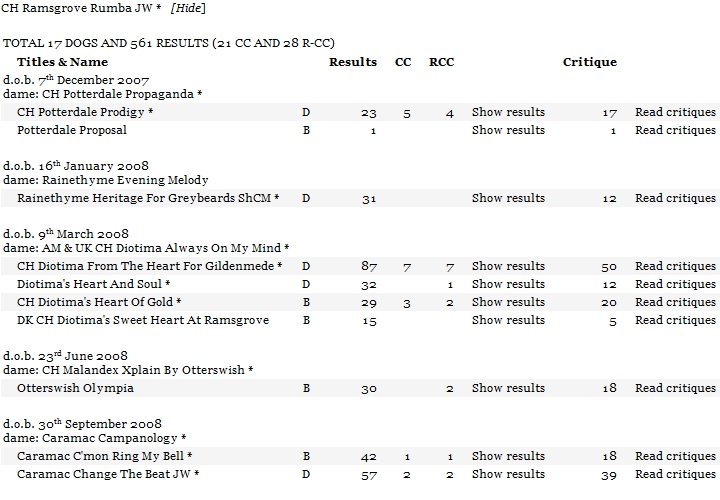
list not complete....
On top it gives you the total show results in our data base and how many CC and RCC the progeny has gained as a total.
Offspring show results will come up as litters, with the date of birth and name of dam. The rest is explained by the headlines.
SEARCH YEAR is a simple one. Just type the year and a list of the shows with dates, places, judges, results and available critiques, from that year will come up. You can then go on and press the things on there the same way as under CURRENT - Schedule, Results & Critiques.
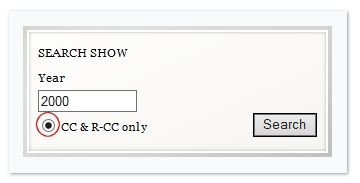
If you are only interested in looking at who got the tickets, then type
the year and fill in the Radio Button and it will bring up a list of the
dates, shows & judges and the ticket and reserve ticket winners of
that year.
Dog names are linked to their pedigrees and you can press any specific
show to see full results. At the bottom of the results you can see 
press it it and it will bring you back to your orginal search result.
Finally SEARCH STUD DOG NUMBER HOLDERS, just put in year and it will bring up a list of dogs (names clickable) with their stud book number.